LapseCloud
Construction Time-Lapse Camera

Construction Time-Lapse Camera.
Works With Most IP Cameras.

Use your own FTP-capable camera. LapseCloud collects the daily photos, delivers an edited time-lapse video of your build, and gives you a client portal. Start a 14-day free trial.

No credit card required. Cancel anytime.
14-day
Free Trial
<2h
Typical Setup
✦ Daily
Auto Sync

One Fixed Camera. The Whole Story Of The Build.

Every day between the first photo and the last is saved in your archive and becomes part of your time-lapse.
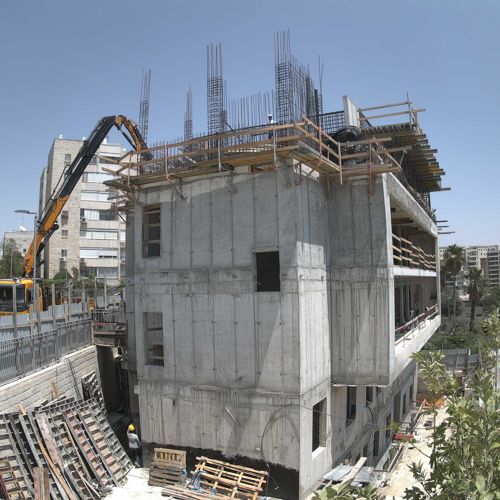
Construction site from one fixed camera, early stage
Early
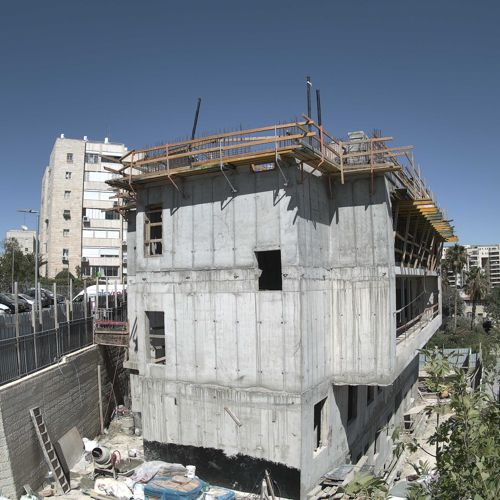
Construction site from one fixed camera, mid stage
Mid
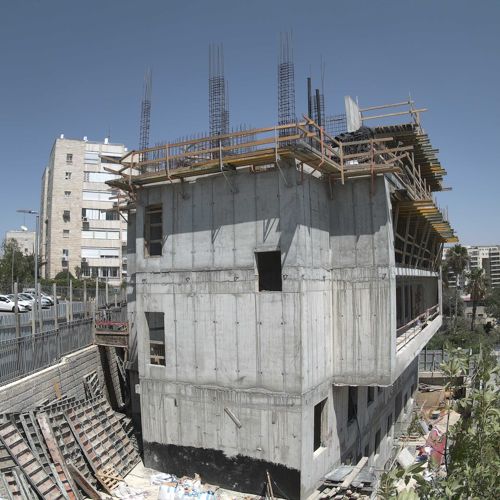
Construction site from one fixed camera, later stage
Later
Photos from one fixed camera on a real construction project.

What Your Camera Needs

No proprietary hardware. Most IP cameras with these four things work with LapseCloud.

📤
Scheduled FTP Upload
Your camera uploads photos by FTP on a schedule. Many IP cameras include this in their settings.
📷
4MP Or Higher
Sharper frames make a better time-lapse. We recommend a 4MP minimum and a 12MP model such as the Reolink 12MP for wide sites.
🔌
Power And Connection
A power source on site and a connection that reaches the internet, such as Wi-Fi, Ethernet or a 4G router.
📍
A Fixed, Clear View
Mount it where it can see the whole build for the entire project. A stable position gives the smoothest result.
Start 14-Day Free Trial →
No credit card required. Cancel anytime.

How Your Time-Lapse Camera Works

From camera setup to a finished video, we handle the pipeline so your team can focus on building.

01
📸
Choose Your Camera
Use a camera you already own, or pick any FTP-capable IP camera. We recommend the Reolink 12MP.
→
02
🔗
Connect With FTP
Enter the FTP details we give you into the camera. A step by step guide walks you through it, usually in under two hours.
→
03
🔄
Photos Sync Daily
Every day your photos are synced, stored securely, and organised by camera and date in your private portal.
→
04
🎞️
Edited Video And Portal
Once a month an editor delivers your time-lapse. Generate extra videos on demand and share the portal with clients.

What You Get With Every Project

📅
Daily Photos
A dated archive of your build, organised by camera and date, ready to browse or compare.
✂️
Edited Time-Lapse
Hand-edited videos with colour and lens correction, delivered monthly. Create more on demand from the portal.
🖥️
Client Portal
Give owners and investors their own access, so they can check progress without a site visit.

What Your Photos Become

A real construction project. Daily photos from a single camera, turned into an edited time-lapse video.

Before You Start

Which cameras work with LapseCloud?

Any IP camera with scheduled FTP upload support, with a 4MP minimum. We recommend the Reolink 12MP. Check your camera manual or settings for an "FTP upload" option.

How long does setup take?

Under two hours in most cases. You configure the camera with our FTP details and a step by step guide. No technician visit is required.

What if the site has no fixed internet?

A 4G router is enough. The camera needs a power source and a connection that can reach our servers.

Where should I mount the camera?

Pick a fixed point with a clear view of the whole build, high enough to see across the site, with a stable mount and a power source. A steady position for the whole project gives the smoothest time-lapse.

How does the 14-day free trial work?

No credit card required. You get full access to the portal for 14 days on the Starter plan, and you can upgrade or cancel anytime afterward.

Who edits the time-lapse videos?

A real editor, not an automated render. Every monthly time-lapse is colour graded, lens corrected and smoothed for flicker, so it looks cinematic instead of like a raw camera feed.

Get Started

Turn Your Camera Into A
Construction Time-Lapse.

Daily photos, an edited video every month, and a client portal. Try it free for 14 days with your own camera.

Start 14-Day Free Trial →